
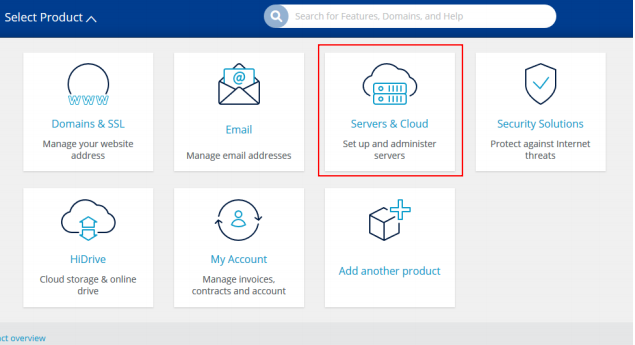
Go to your servers and cloud section of your account:
Click on the server:

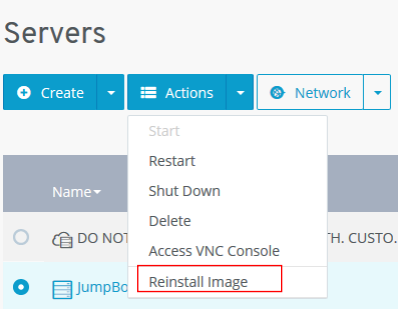
Click actions at the top:
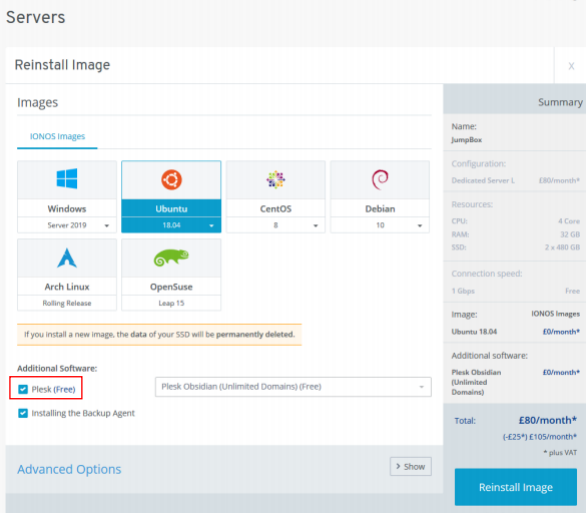
Select the image and if you would like plesk tick the box for plesk, if you have our cloud backup you can have it auto install here and click Reinstall Image:
Now make sure the correct ports are open in the firewall.
For linux (Ubuntu, CentOS, Debian, etc….):
Port 22, 80 and 443
For linux with plesk (Ubuntu, CentOS, Debian, etc….):
Port 22, 80, 443, 8443 and 8447
For windows:
3389, 80 and 443
For windows with pkesk
80, 443, 3389, 8443 and 8447
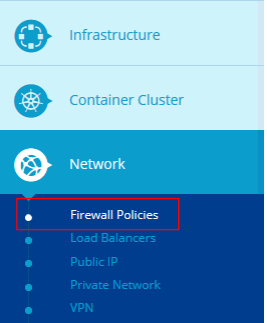
Click on network and firewall policies:
Click on the firewall you want to edit:

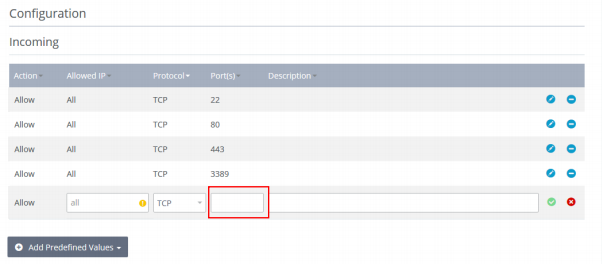
Scroll down and you will see a table, here you can add a port and save it:
Wait for it to finish configuration:

You are now finished.