
Head over to plesk and go to the domain, select SSL/TLS Certificates:

Go to add a new SSL (this could be in 2 different places):
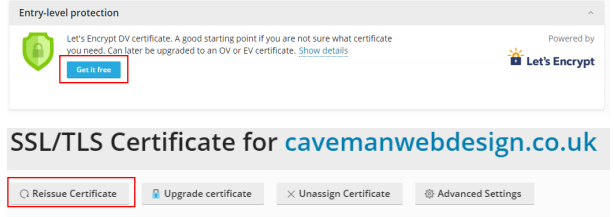
Fill in the email address and tick the boxes, if you do not want a wildcard then skip to the second to last step (A wildcard will secure subdomains) click Get it free:
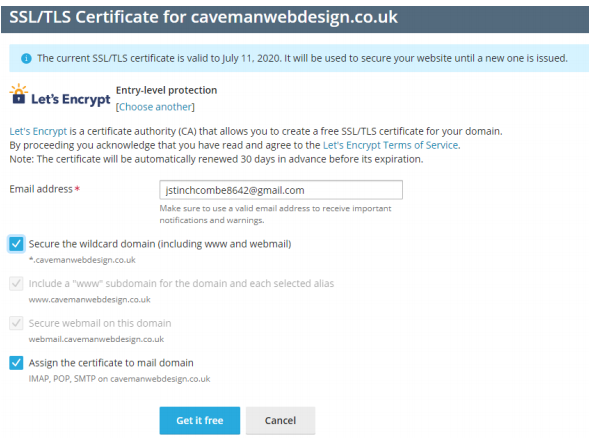
If you selected to use a wildcard then you will need to verify the domain, after clicking get it free you will be given a DNS record to add:

Go to your Ionos account and go to domains and SSL:

Go to the domain and select DNS:
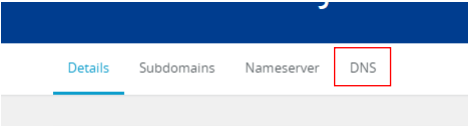
Add Record:

TXT:
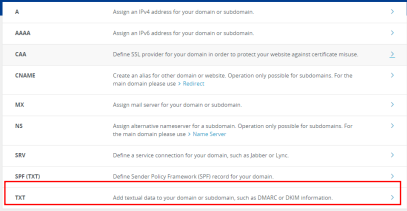
Fill in the hostname and value with the details from plesk and click save:
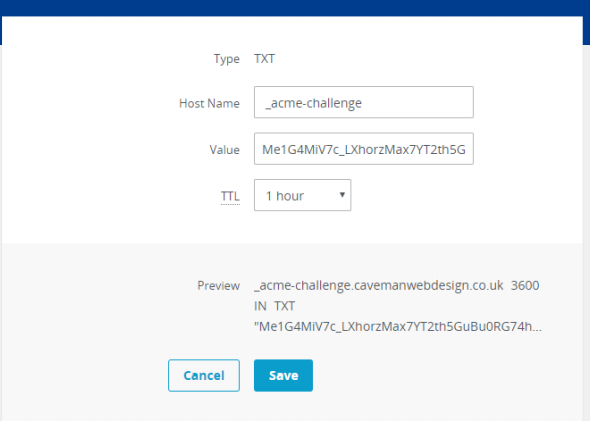
Give it a minute to propagate then head back to plesk and click reload:
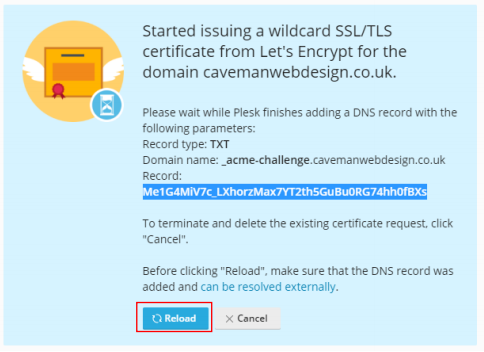
Now if you did not install a wildcard continue from here
Go to the domain in plesk and select hosting settings:

Select the certificate you made (tick Permanent SEO-safe 301 redirect from HTTP to HTTPS) and go to the bottom and click continue:
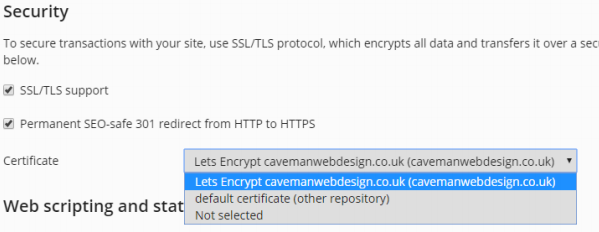
And that is complete.